The previous day, week, month and year highs and lows, drawn automatically as labelled levels that do not repaint
Don't have TradingView yet? Sign up here and get $15 off your next plan.
Affiliate link
 1 / 6
1 / 6
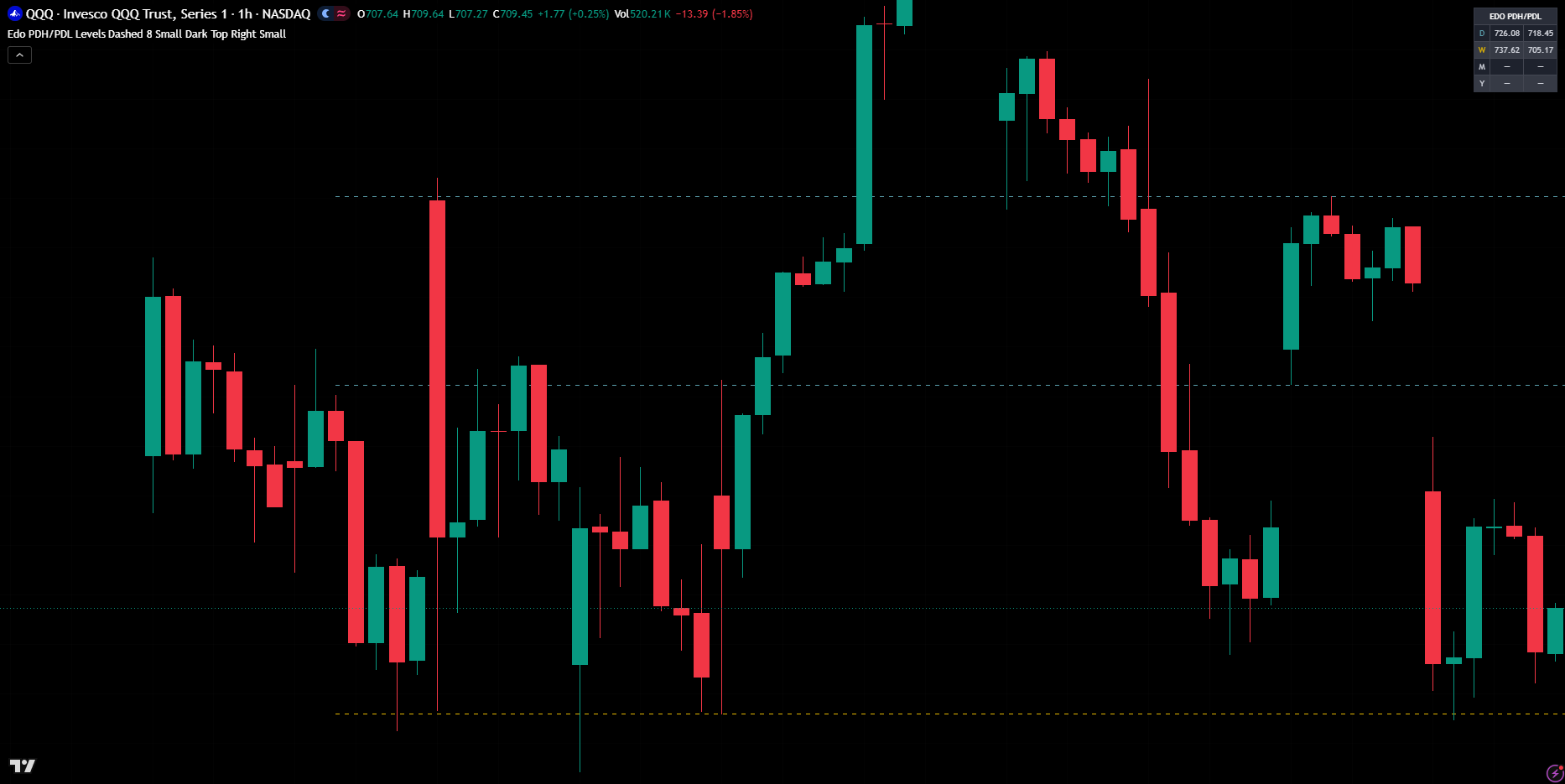
Edo PDH/PDL Levels keeps in view the references that intraday and swing traders watch most: the high and low of the previous period. Yesterday's high and low (PDH and PDL), last week's (PWH and PWL) and, if you want them, last month's and last year's are the prices where the prior period found its ceiling and its floor, and where breakout orders and stops tend to pile up. They are objective — they depend on no calculation, only on the real extreme of a closed period — and that is why price keeps coming back to test them: as magnets, as support and resistance, and as breakout zones whose cross signals strength or weakness. The indicator reads each previous closed period, draws its high and low as horizontal lines labelled with their name and exact price, extends them to the right as live references, summarizes every value in a compact panel and alerts when price crosses the day's or the week's extremes. Because the values come from periods that have already closed, they are fixed the moment the period ends and do not repaint. Built for intraday, but useful on any timeframe.
 Video tutorial · Coming soon
Edo PDH/PDL Levels groups its inputs in three blocks. Levels toggles each pair — Previous Day (PDH / PDL, on), Previous Week (PWH / PWL, on), Previous Month (PMH / PML, off) and Previous Year (PYH / PYL, off) — and the Show previous range midpoint (50%) option (off). Style sets one colour per period (Day teal, Week gold, Month purple, Year red), the Line Style (Solid, Dashed — the default — or Dotted), Extend right (on) with a Right offset of 8 bars (0-60) that keeps the labels ahead of price, Show labels (on), the Label Size (Tiny, Small — the default — or Normal) and the Theme Mode (Dark or Light) to match the chart background. Panel turns the information table on or off and sets its Position (Top Right by default, or any other corner) and Size (Tiny, Small or Normal). The defaults are calibrated for intraday, with the day's and week's levels; for a wider perspective enable the month and year, and for a mean-reversion read, the 50% midpoint.
Trading involves risk. This indicator is an analysis tool and does not constitute financial advice, investment recommendations, or trading signals. The user is solely responsible for their trading decisions.
